Skip to content
monolab— home
monolab

monolab — independent software

I build the layer between you and the web.

monolab is one person. Two browser extensions, an Android app with a second on the way, and Warden — a system-wide blocker for Windows, in beta — built on one idea: the decision about what reaches your screen should be made on your device, by software you can read.


people
3,000+
Chrome
★ 5.0
Firefox
★ 4.3
stores
4
accounts
0

fig. 01 — the layer, drawn live26 held of 72 A working model of the decision the extensions make, drawn behind this page. Signals arriving from the web are scored on the device against a threshold of 0.62; anything over it is stopped before it reaches the screen, and the rest passes through. Nothing is sent anywhere to make the decision. These figures describe the drawing, not this browser.


01

Premise

Every screen you look at is the output of a decision about what you should see. Almost always someone else made it — a ranking model, an ad auction, a growth team with a number to hit by Friday. monolab moves that decision back to the person looking at the screen, and keeps it small enough that one developer can maintain it honestly.

01On your device
No account, no sync, no telemetry, no crash reporter. There is nothing to leak because nothing is collected. The one exception is opt-in and labelled as such.
02Readable
Both extensions are open source. A content blocker asks for permission to see every page you visit; the only sane answer to that is to publish the code.
03Small enough to keep
One person maintains all of this, indefinitely. Every feature has to survive that constraint, which is why there are fewer of them than a team would ship.

02

The work

BlockNSFW

shipping

porn & adult content blocker

Stops adult sites before the page paints. A blocklist catches the known ones; an on-device model reads the text and images of everything else. SafeSearch is forced on nine search engines whether the site wants it or not.

Platforms
Chrome · Firefox · Edge · Android
Users
3,000+
Rating
★ 5.0 Chrome · ★ 4.3 Firefox
Classification
on device
Account required
none
Price
free
Read the full note

Most adult-content blockers work from a list of domains. Lists go stale in days, and they only ever knew the English-language web. The sites that matter to someone trying to stop are the ones not on any list.

search results — 6 pages
••••• ••••••safesearchoff
••••••••••.com
held
en.wikipedia.org
•••••••.net
held
••••••••••••.xyz
held
docs.python.org
••••••.to
held
nothing filtered0 of 6 held

Running here on this page — the switch is real


Sieve

shipping

content filter & site blocker

A modular suite for the rest of it: dark patterns neutralised, toxic replies collapsed, cookie walls auto-rejected, fourteen categories of harmful site blocked, and a stop put to the infinite feed. MIT licensed, so you can read every rule.

Platforms
Chrome · Firefox · Edge
Modules
on-page · blocklists · wellbeing
Blocklist categories
14
Licence
MIT
Account required
none
Price
free
Read the full note

The web's worst behaviour isn't pornography — it's the cancel-subscription button hidden three menus deep, the reply designed to make you angry enough to answer, and the feed that never ends. None of it is illegal, so nothing blocks it.

an ordinary article page
Subscribe — 40% offno thanks, i like paying full price
dark pattern · both options weighted alike
anon_4417toxicity 0.91
m_hart
reply collapsed, not deleted — you can open it
Accept allmanage
consent wall · rejected automatically
page as shipped—

Running here on this page — the switch is real


03

The phone

LockIn

app blocker for androidin development

An app blocker can usually only block an app. But Instagram is also where your friends write to you, and YouTube is where the video you actually needed lives. Block the whole app and you block the reason you opened it. The part worth blocking is the feed built to keep you there, so that is the part LockIn blocks.

a social app — reels

reels never endreel 1

Running here on this page — open Reels, then Messages

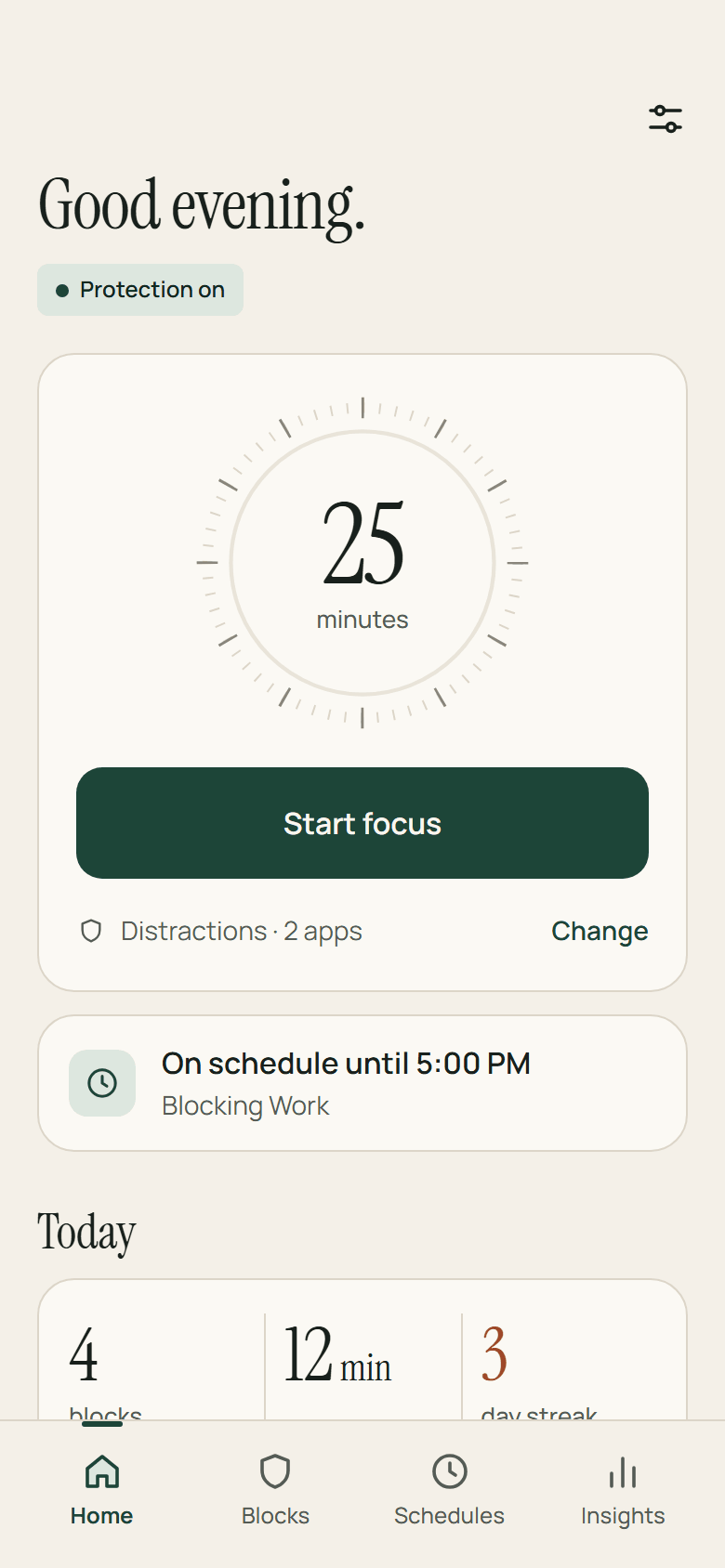
LockIn's home screen. It says Good evening, with a Protection on badge, a 25-minute focus dial and a Start focus button, a card reading On schedule until 5:00 PM, blocking Work, and today's figures: 4 blocks, 12 minutes saved and a 3-day streak.
Home
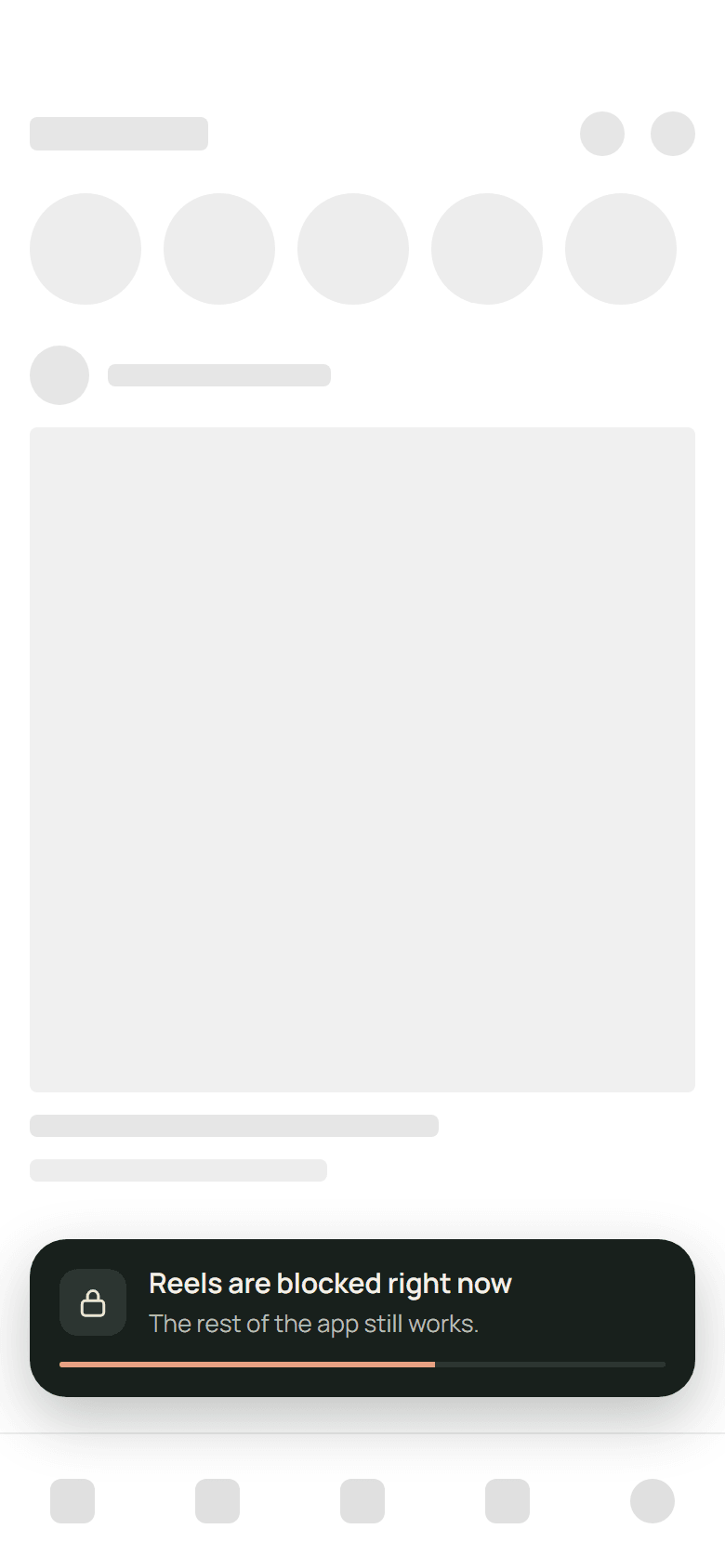
Another app, drawn in grey placeholders, with a dark notice over its lower edge: Reels are blocked right now. The rest of the app still works. A thin bar along the bottom of the notice counts down its three seconds.
Reels, sent back
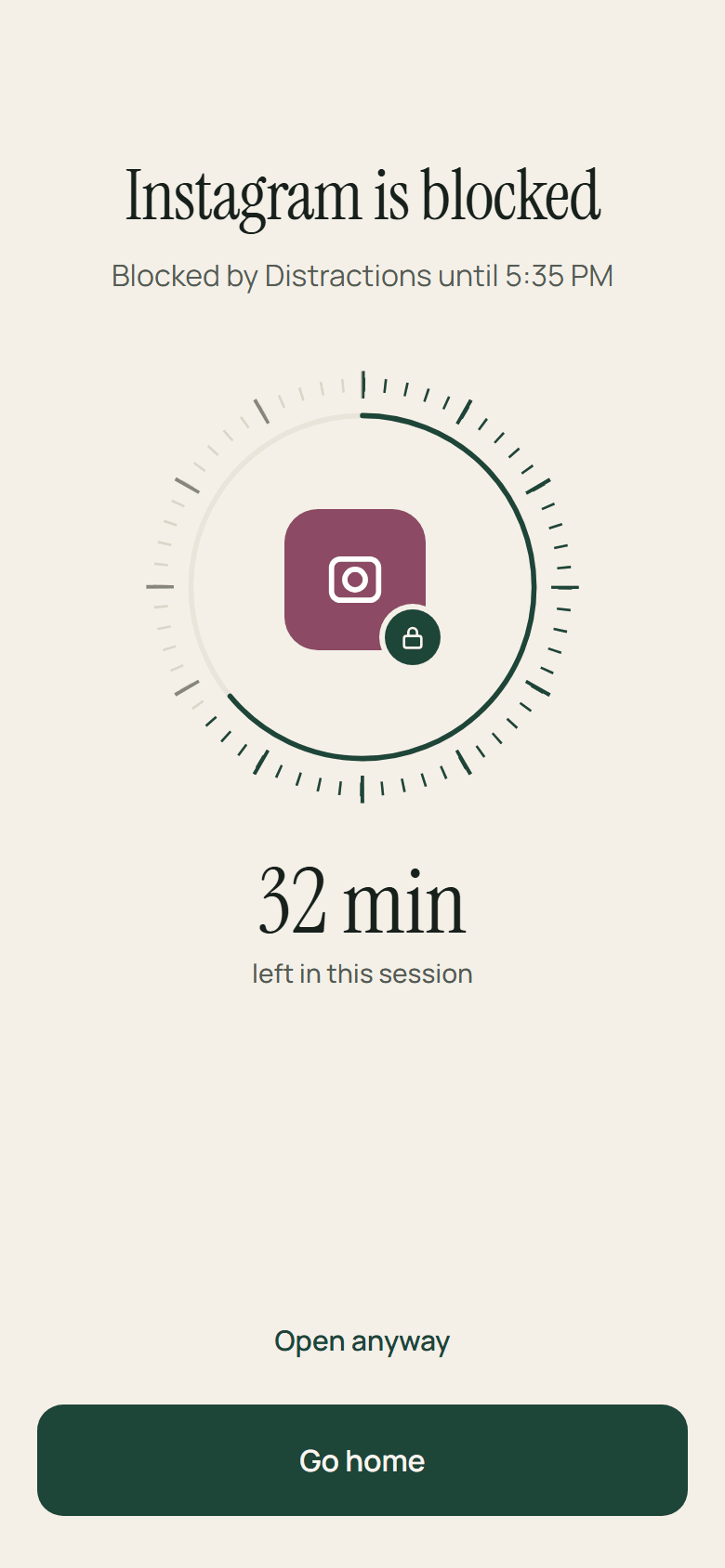
The block screen. Instagram is blocked, by Distractions until 5:35 PM. A dial around the app's icon shows 32 minutes left in this session, with Open anyway and Go home below.
The block screen
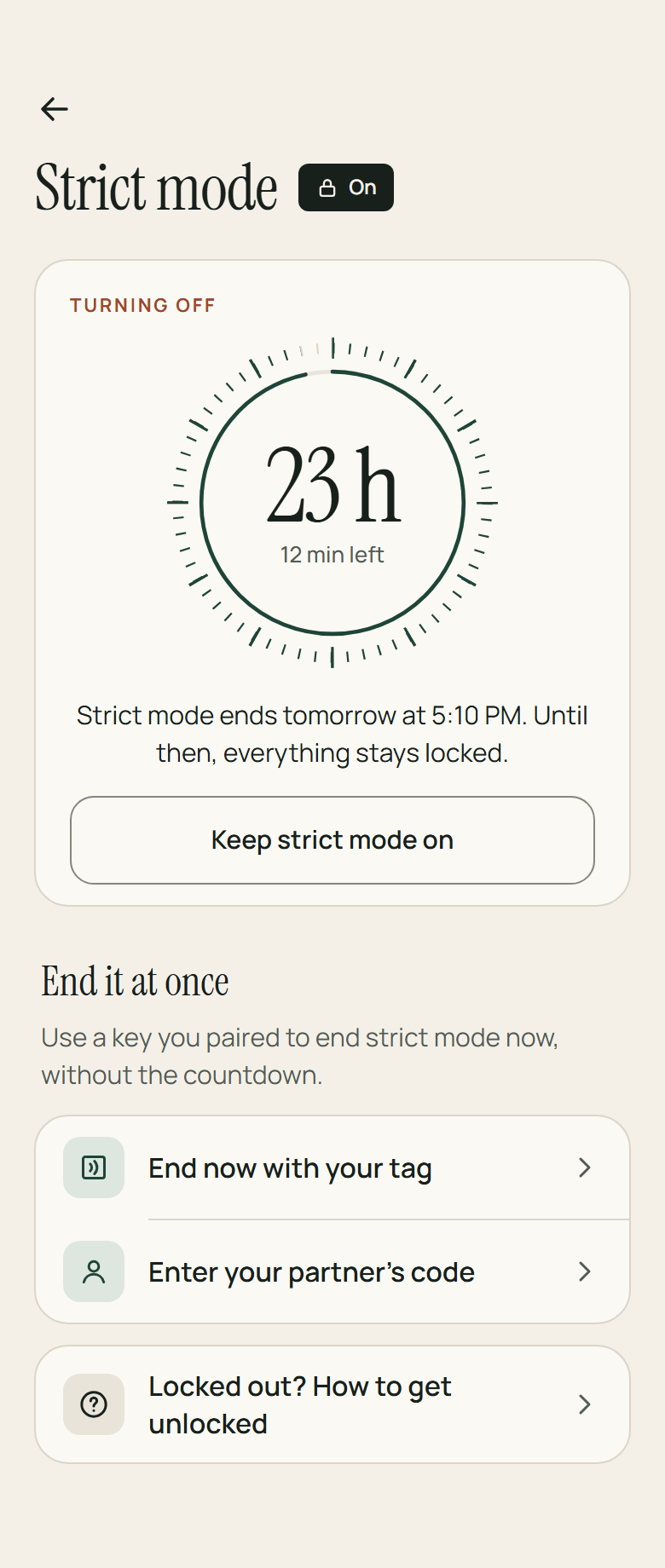
Strict mode, on and turning off. A dial reads 23 hours, 12 minutes left, and strict mode ends tomorrow at 5:10 PM — until then everything stays locked. Below it, Keep strict mode on, and two ways to end it at once: with your NFC tag, or your partner's code.
Strict mode, turning off

LockIn, in development — four of its screens

What happens

  1. 01

    A short-video player opens

    LockIn reads the screen through Android's accessibility service and recognises the player, not just the app it sits in.

  2. 02

    LockIn presses Back

    Or Home, if Back does not get out of the player.

  3. 03

    And says so, for three seconds

    A small blocked notice, and then it is out of the way.

Platform
Android
Feeds
Reels · Shorts · TikTok
Account
none
Analytics
none

Not on Google Play yet — it is still being built. Its page covers the rest: block lists, schedules, a block screen that asks for more each time, and a strict mode that always leaves a fair way out.

Read the full note

04

The desktop

Warden

system-wide blocker for windows

What you want kept off a machine does not arrive through one door. Some of it is a website; some of it was never a browser at all. Warden stands at the doors the machine itself owns — its resolver, its firewall, the policies browsers read, the programs and files Windows opens, the hours of the day — and then puts its own settings behind a delay, because that is the last way out.

Status
beta
Platform
Windows 10 & 11
Runs as
Windows service
Account
none
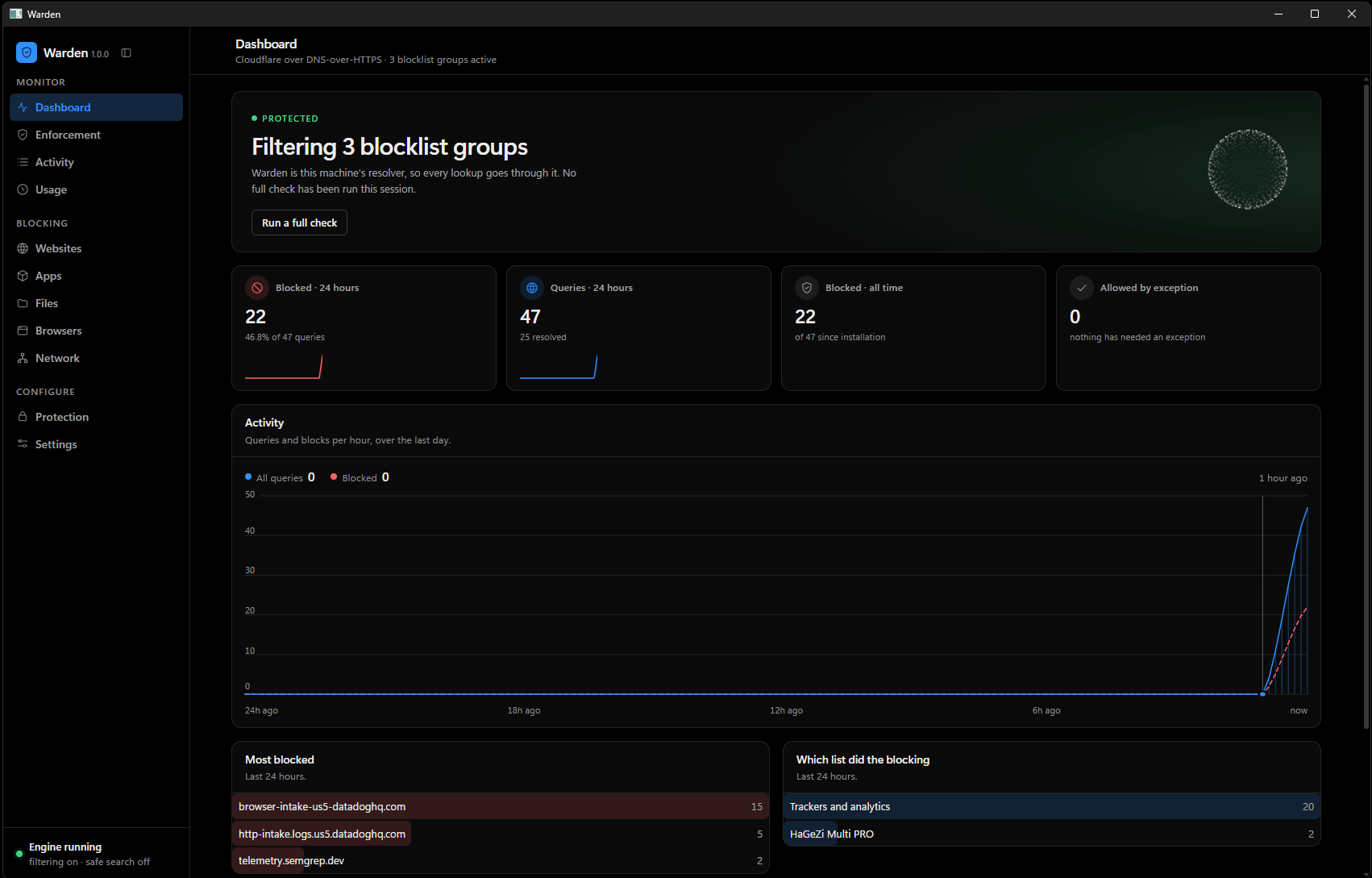
Warden's dashboard. A banner reads PROTECTED — filtering 3 blocklist groups, with a button to run a full check. Four counters follow: 22 blocked in 24 hours, 47 queries, 22 blocked all time, and 0 allowed by exception. Below them an activity chart plots queries and blocks per hour across the last day, then two tables: the most blocked domains, and which list did the blocking.
Warden 1.0.0 — this machine, filtering

Seven layers

Each layer exists because the one above it leaks. They are numbered because the order is the argument.

The seven layers in full

It is a beta: on other people’s machines, not on a store. Where it stops — what a determined administrator can still take back, and what a resolver cannot see at all — is written on its own page, next to what it does.

  1. 01Filtering at the machine's resolver
  2. 02Browser policy, held in place
  3. 03Browsers that will not open
  4. 04Who may ask at all
  5. 05Filtering inside the page
  6. 06Programs, folders and files
  7. 07Settings that spend time

05

Method

Three problems shape everything here. None of them have clean solutions, and the compromises are the interesting part.

01

A classifier that has to fit in a browser tab

Deciding whether a page is adult content is easy on a server and hard in a content script. The model has to load before the user notices, score text and images inside a frame budget, and share a process with whatever else the page is doing.

That constraint is the design. A larger model would be more accurate and would also mean sending the page somewhere, which is the one thing the product exists not to do. So it stays small, the blocklist carries the cases it can't, and the failure mode is chosen deliberately: a false block you can dismiss beats a miss you can't unsee.

Runs
on device
Network calls per decision
0
Writing systems
6
02

One codebase, four stores, three engines

Chrome, Edge, Firefox and Android are four review processes with four sets of opinions. Manifest V3's declarative rules are fast and are also a fixed budget you can exhaust; Firefox keeps more of the old flexibility but not all of it; Android has no extension model at all and had to become a local VPN service instead.

The answer was to push everything platform-specific to the edges — one blocking engine, one rule format, one settings model, and thin adapters per target. It is less elegant than a single build and it is the reason a fix lands everywhere in the same week.

Stores
4
Extension platform
MV3
Android
on-device VPN
03

Software that has to resist its own user

Most software is built to obey immediately. A blocker installed by someone trying to stop something has the opposite requirement: it has to hold when the person who installed it wants it gone, ten minutes from now, at two in the morning.

In a browser that ceiling is low — a PIN over the settings raises the cost of quitting, and that is genuinely all an extension can do. Being honest about that limit is what made Warden a Windows service rather than a bigger feature list. Below the browser the lock can spend time instead of permissions: a delay on anything that loosens protection, which is the one measure an administrator cannot simply grant around.

Extension lock
PIN
Enforceable in-browser
partly
OS-level
Warden · beta
Built withTypeScriptManifest V3WebExtension APIsOn-device inferenceKotlin / AndroidNext.jsNode

06

The record

Everything below can be checked on a store listing or in a repository. Star counts update live.

People using BlockNSFW
across 4 stores
3,000+
Chrome Web Store rating
BlockNSFW
5.0
Firefox Add-ons rating
BlockNSFW
4.3
Stores shipped to
Chrome · Firefox · Edge · Play
4
Open-source extensions
MIT
2
Accounts required
ever
0
Trackers shipped
ever
0
“Works well on most sites, worked to fix my addiction. TYSM Dev <3”
Firefox userFirefox Add-ons
This one is the best. Not much that comes through. In Orion browser you can get around some porn blockers and still load the page, but you can't get around this one. Works very well.
Jacco PippelChrome Web Store
Just wanted to say, this is extremely helpful. Keep up the good work, dev! Thank you so much, and God bless!!!
RagePhoenix7Firefox Add-ons
This is the best, hands down, NSFW blocker I have used. Great job man.
goxy701Firefox Add-ons
Stable, lightweight, and reliable.
Anuran RoyChrome Web Store
Very useful tool if you want to stay away from adult content online. Highly recommended.
Quang PhanChrome Web Store

07

The maker

I'm Alfon. monolab is me, and it has been for its whole life.

It started as a blocklist for myself. The extension exists because the ones I tried either sent every URL I visited to someone's server, or worked in English and nowhere else, or could be turned off faster than the urge to turn them off passed.

The reviews changed what it is. People don't write to a content blocker to say it was stable and lightweight — they write to say it helped them stop something. That is a different responsibility than shipping a utility, and it is why there is no analytics in any of this, why the settings are boring, and why I answer support mail myself.

I'm a developer by trade and I care most about the parts nobody sees: the failure modes, the update path, what happens on a slow machine. If you're the sort of person who reads a manifest before installing an extension, we'll get along.

Alfon

Alfon · solo developer · monolab

08

Contact

The lab door is open.

Bug reports, feature arguments and false positives all go to the same inbox, and I read them. If you're using one of these tools to get out of something, that mail is welcome too — you don't need to explain yourself.